Tablet controls, clearer menus, and graphics fixes
Originally published on itch.io — read the post and comments ↗
Touch and trackpad controls are now live in Beyond Dawn, along with fixes for tablet menus, station text, automatic graphics settings and indoor sound.
This update covers the city and lair, Wasteland, and the caverns. If you're playing on an iPad or Android device, there are now on-screen controls for moving, looking around and using your equipment.
Playing with touch or a trackpad
You can hold a movement button with one finger and drag the world with another to look around. Hold Use for interactions that take time. The action buttons change to suit the game you're playing, including Wasteland's attacks, reload, dodge and healing.
- Run on/off sits beside the right-hand action buttons. Tap it to run while moving, then tap again to walk.
- Lattice, Depth, Pin and Notes are available on screen, so tuning the view and handling routes doesn't require a keyboard.
- More opens the extra actions. These now stack above the main buttons and scroll when the screen is too short to fit everything.
- Hide move pad frees up space if you're using a physical keyboard.
With a trackpad, click and drag to look. A click or tap without dragging attacks; dragging the view doesn't fire your weapon. Browsers that cannot capture the mouse now fall back to this control scheme without repeatedly asking for capture or pausing the game.
Keyboard controls still work alongside this: Shift is hold-to-run, and you can tune Lattice with two-finger scrolling or the bracket keys. The on-screen gameplay buttons appear on iOS/iPadOS and Android; desktop browsers retain their usual hardware controls.
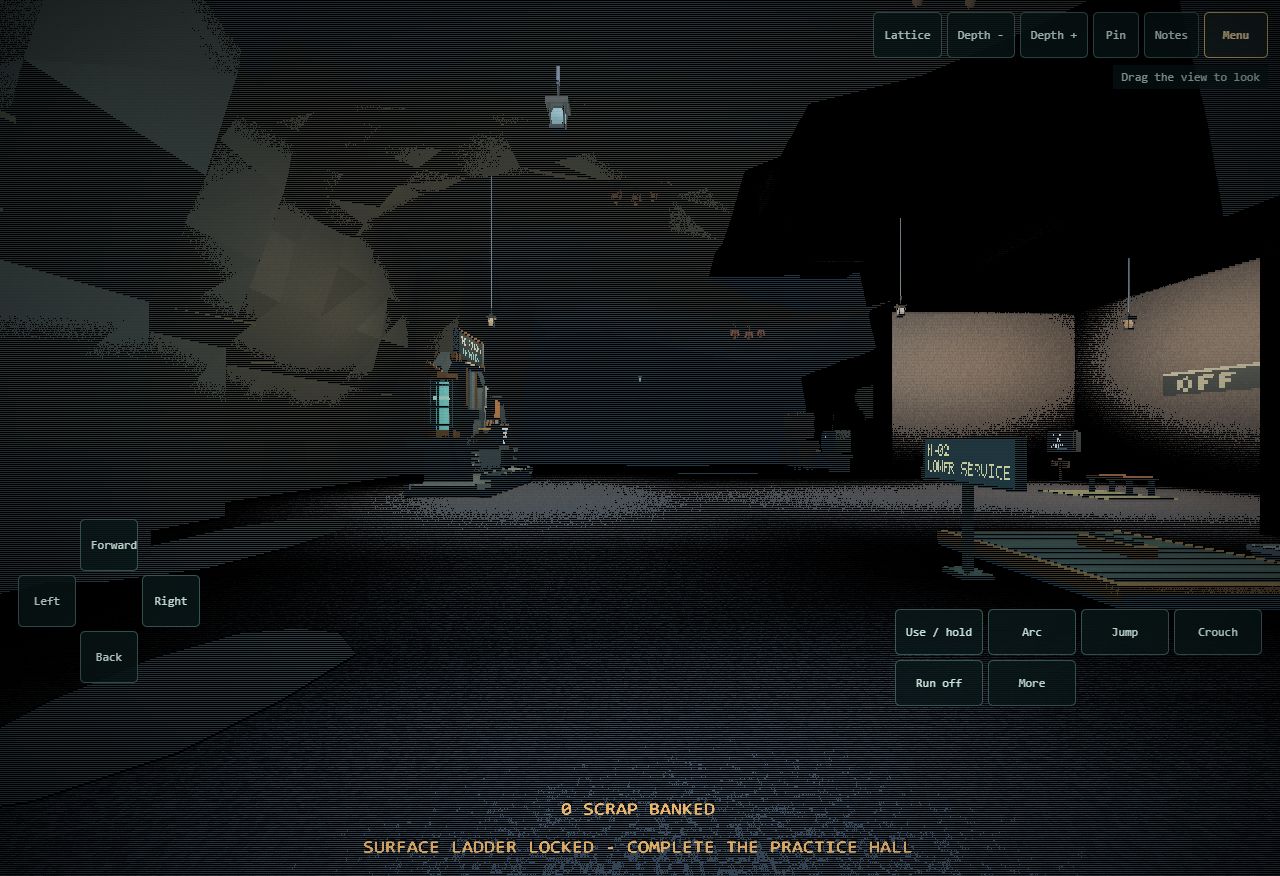
Movement on the left, actions on the right, and Lattice controls across the top.
Pause and return without a keyboard
There's a Menu button at the top right during gameplay. Tap it to pause, change settings or return to the Observation Station. It stays available when the movement pad is hidden.
The compact pause panel could collapse on iPad and leave only its heading visible. Its contents now have a bounded, scrollable area, with More below when there are additional options. The same fix applies to Wasteland's departure equipment review.
The movement pad also leaves room for the health display. On shorter screens, the arrows use two rows while keeping the buttons large enough to tap. Pausing, switching apps or cancelling a touch releases held movement and actions, so they don't stay pressed when you return.
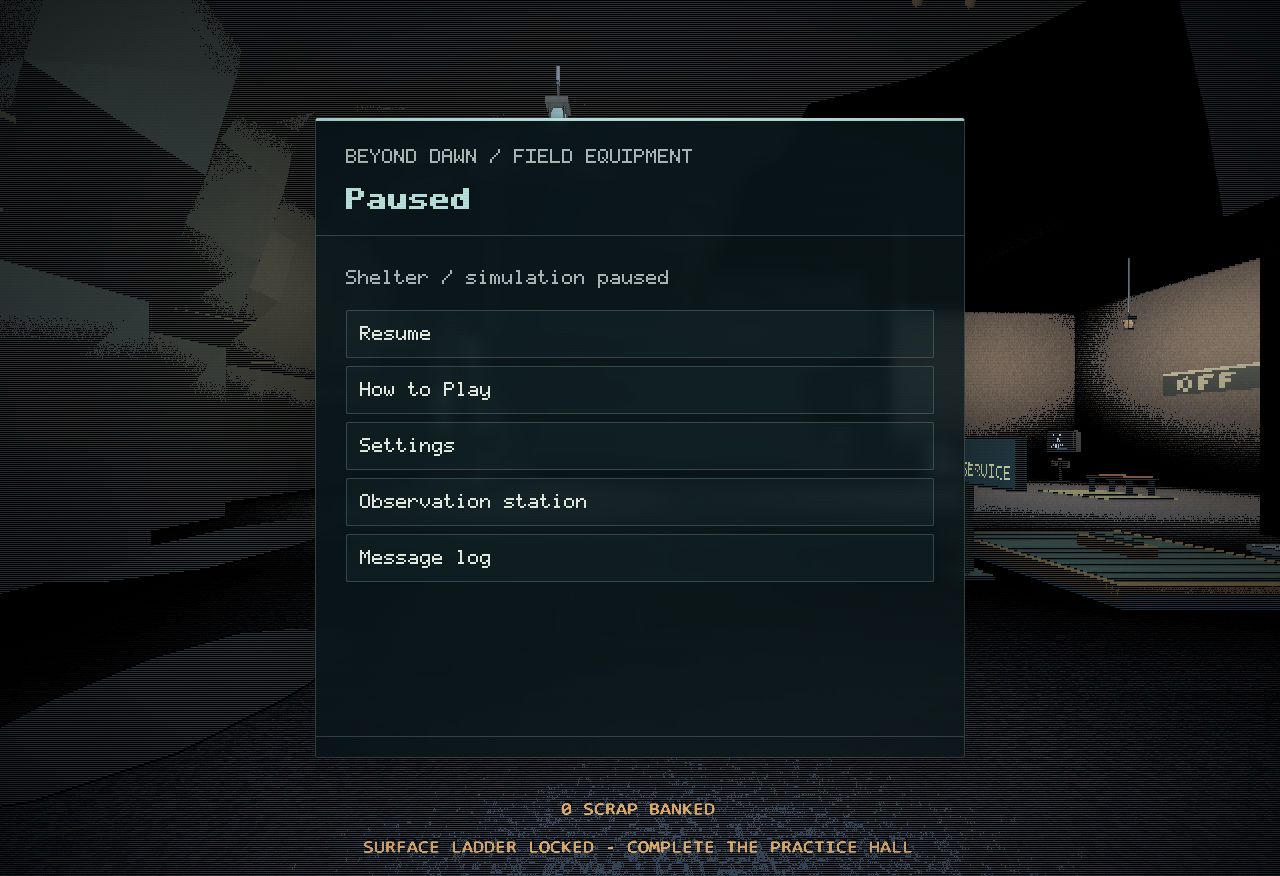
The pause menu keeps the return options within reach.
Clearer station lettering
The Observation Station has larger, clearer labels and body text on tablets. The lettering on the physical Play/Continue key and Archive screen has also been updated: it keeps its strokes at tablet resolutions and follows the controls as the camera or button moves.
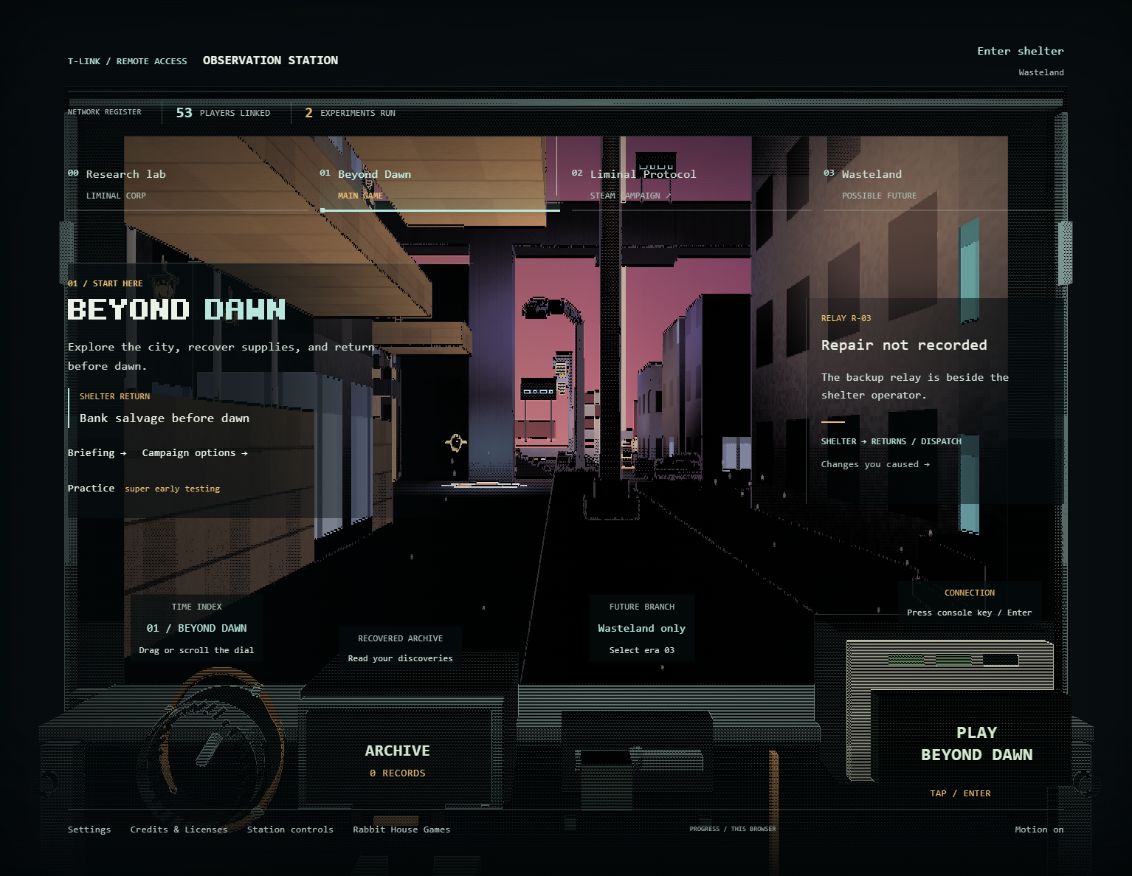
The Play key and Archive display use the updated tablet lettering.
Steam progress
I've also been preparing the Windows Steam build. An installed test build has passed launch, save/relaunch and an offline Specimen 09 check, and the screenshots, store artwork and gameplay trailer are prepared. There is still release setup and testing to finish before a public Steam launch.
Smaller fixes
- Automatic graphics settings: a quiet indoor scene no longer teaches the game to use an overly demanding setting in the city. It now learns from a sustained stretch of city rendering. Older graphics hints are relearned without clearing campaign progress.
- Indoor performance: indoor rendering can now reduce ambient occlusion when the adaptive graphics system needs to ease the load.
- Indoor sound: street traffic fades out inside sealed buildings when there are no street sound sources. Enemy threat audio remains active.
I'm still working through a couple of small-screen layout issues, including the ARC readout and a long practice instruction in portrait. The intermittent cavern and landing hitches are also still under investigation.
The update is live. Play Beyond Dawn free in your browser to try it.
If you play on a tablet, let me know how moving, looking and using the menus feel. Your device, browser and screen orientation are useful details if something is awkward or hard to read.